
A 15-minute weekly family planning routine
Give your weekly check-in a shared home with Family Flight Plan. Bring the calendar, chores and dinner decisions into one place, then use this 15-minute routine to agree on the week’s handoffs. Everyone has a plan to check after the conversation ends.
Before you start: bring the missing pieces
Pick a time when the people making the week’s decisions can join. Sunday afternoon works for some households; another evening may suit yours better. Open the calendar and bring any school emails, work changes or appointment details that have not made it into the shared plan.
Choose one person to update the plan during the conversation. Everyone else can check their own commitments. You are aiming for a week the household understands, so save longer discussions for another time.
Minutes 0–4: look at the week together
Read through the next seven days. Look for early starts, late finishes, appointments and anything that changes the usual routine. Name the busiest day and give it a little extra attention.
- Which plans have changed since last week?
- Does anyone need to leave earlier than usual?
- Are there forms, equipment or supplies to prepare?
- Is there an important date just beyond this week?
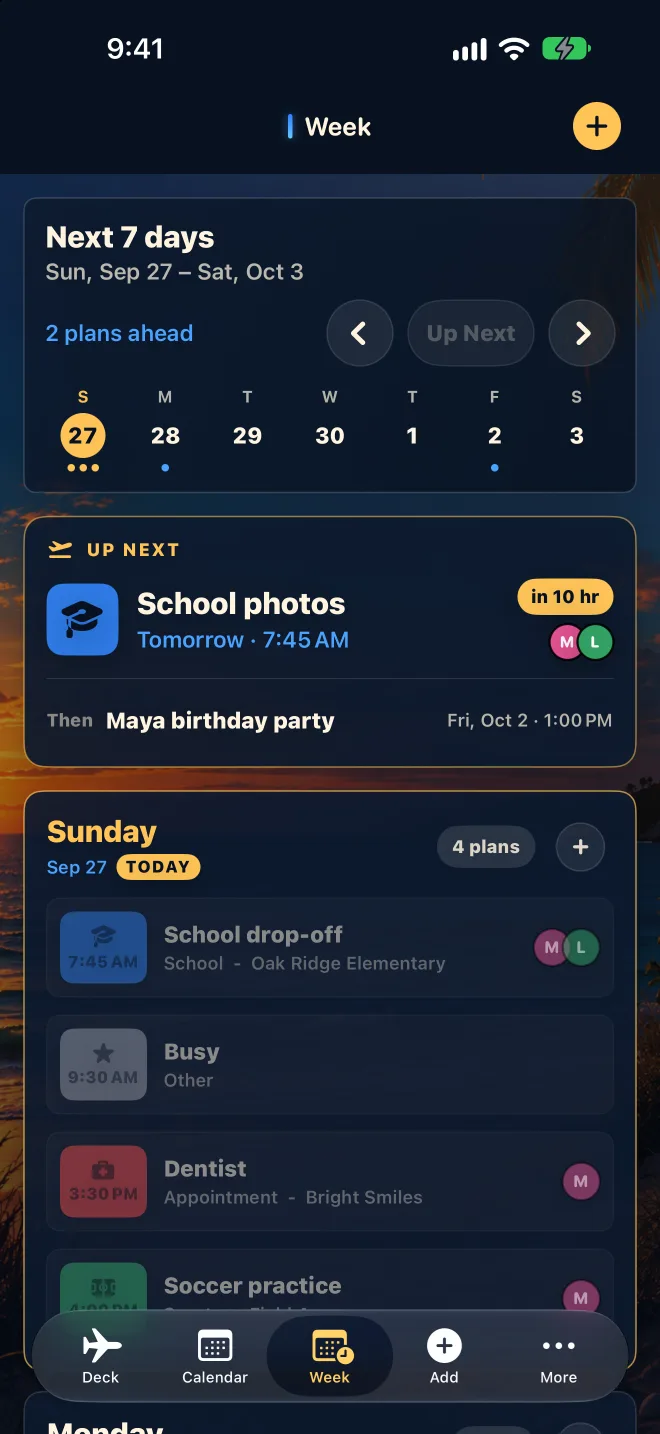
In Family Flight Plan, use Week to review the shape of the week and Calendar to check dates. Add the practical details to each event so the next person does not have to hunt through messages.
Start your family plan free Put the calendar, chores and meals together in Family Flight Plan.
Minutes 4–8: assign the handoffs
For each trip or appointment, agree on who is responsible. Include travel and preparation time in the conversation: two events can have different start times and still be impossible for one person to cover.
Replace “someone will pick up” with a person and a time. For example: “Jordan handles Tuesday’s 5:30 pickup. Alex brings the bag to the door before leaving for work.” Put useful logistics in the shared event notes.
Family Flight Plan can flag overlapping events, but it cannot know every driving time or arrangement your family has made. Check the actual handoff even when the calendar looks clear.
Minutes 8–12: match meals and chores to the week
Give the busiest evenings the simplest dinners. Decide which nights need leftovers, a quick meal or a meal prepared earlier. Start with the evenings that are hard to improvise; you can leave space on quieter days.
Next, choose a manageable set of chores and assign an owner to each. Agree on when they need to be done. A specific task such as “put the bins out Tuesday evening” is easier to act on than a broad request to help more.
Keep appointments in the calendar, recurring household jobs in chores or routines, and dinner in the meal plan. That gives each part of the week a clear place without turning every small task into an appointment.
Between check-ins: update the plan when it changes
During the week, update the shared event when an appointment moves or a pickup changes. Let the person affected know as well. A shared plan is most useful when people can trust it to reflect the latest decision.
If a screen in the kitchen would help, set up a spare iPad as a family display. For the recurring work of getting out the door, build a short morning checklist alongside the week’s calendar.
Put next week’s plan in everyone’s hands.
Start your family plan free. Add the next appointment, assign a chore and choose dinner, then invite your household to plan together. You can add an iPad or Apple TV display when you want the week visible at home.