
Family calendar app or dedicated calendar display?
Before buying a dedicated calendar screen, put Family Flight Plan to work on the Apple devices you already own. Start free with a shared calendar, chores and meals, then show the day on a compatible iPad or Apple TV. Here is what that gives your household and how the costs compare.
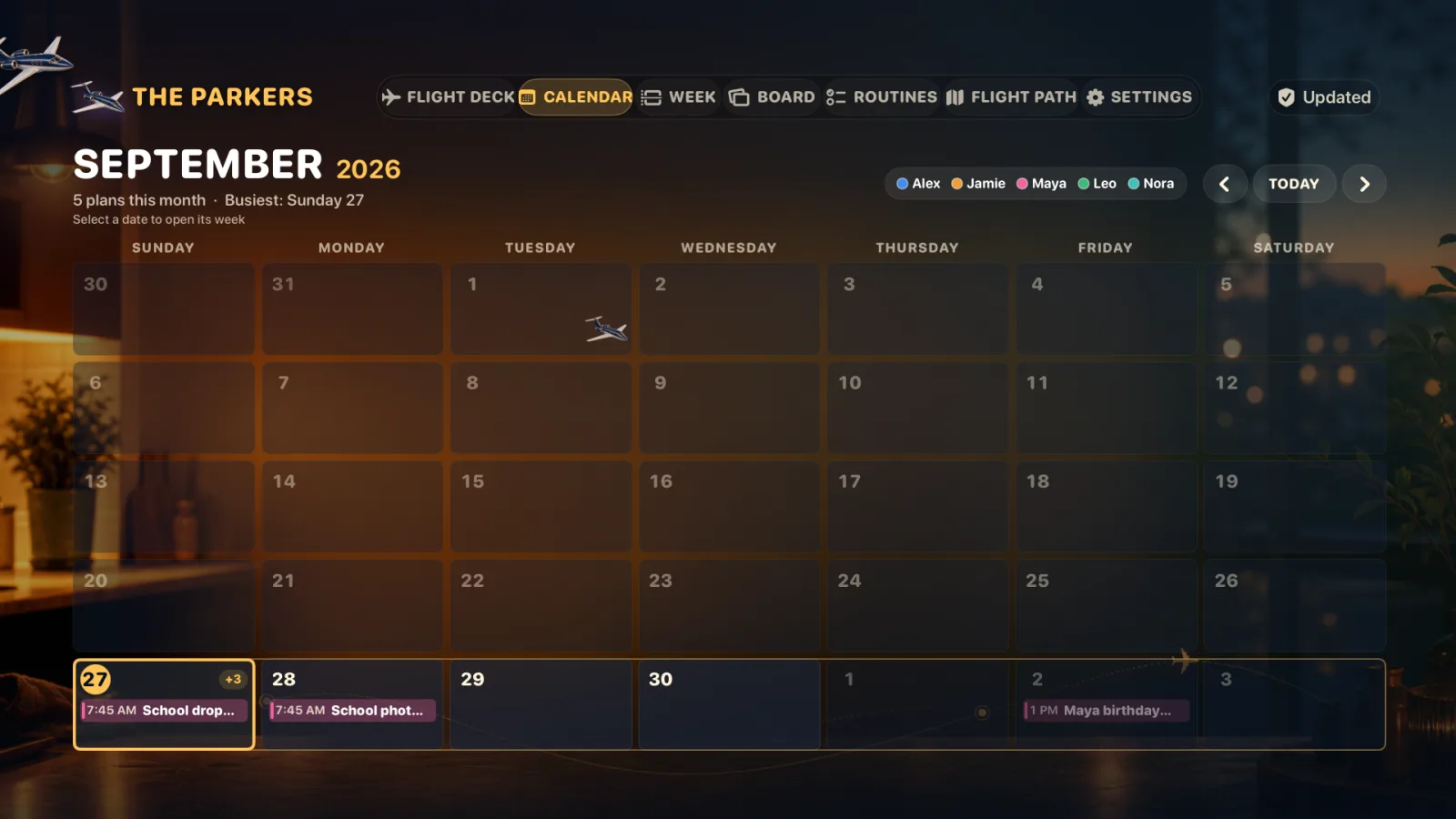
Give your existing Apple devices a shared family purpose
Family Flight Plan brings the household’s schedule, chores and dinner into one shared plan. Add the details on your phone, check them on an iPad, and put the day on the living room TV when you want a bigger view. A shared screen is optional: the organizer works on iPhone or iPad on its own.
For a kitchen display, give a compatible spare iPad a steady place to sit and a charging connection. For a view from across the room, pair your Apple TV. You can get started without buying a dedicated calendar device when you already own compatible hardware.
Check compatibility first: iOS or iPadOS 18 or later for the companion app, and tvOS 18 or later plus a connected television for Apple TV. Family Flight Plan is available on Apple devices. Leave the display app open when you want the dashboard visible; you can keep checking and editing plans on your signed-in phone or iPad.
See what your free family plan already includes
Start with the everyday jobs your household needs to handle. Family Flight Plan includes the shared calendar, chores, routines and meal plan free, along with a paired iPad display and an Apple TV display. You can build your first useful family dashboard before choosing a paid plan.
Scroll sideways to see both options.
| Question | Family Flight Plan | Skylight Calendar |
|---|---|---|
| Room display | Compatible iPad or Apple TV with a television | A separate touchscreen calendar device |
| Calendar import | Plus imports Apple Calendar accounts on the device and ICS subscriptions | Online calendar syncing is listed among the standard features |
| Chores | Chores, routines and points are included free | Chores are standard; rewards require Calendar Plus |
| Meals | A manual meal plan is included free | Meal planning requires Calendar Plus |
| Interaction | Edit on iPhone or iPad; touch actions on iPad, remote actions on TV | A shared touchscreen with a companion mobile app |
Sources for comparison facts · checked November 6, 2026
Skylight’s published model specifications and starting prices and Calendar Plus feature and price information are the sources for the comparison above and costs below. Prices and plans can change.
When you are ready to bring in existing calendars, Family Flight Plan Plus imports Apple Calendar accounts on your device, including iCloud, Google and Outlook, and ICS subscriptions. Importing doesn’t change your original calendars, and you can also choose to save events created in Family Flight Plan to an Apple calendar. Manual family events stay available free.
Start your family plan free Put the calendar, chores and meals together in Family Flight Plan.
Start free and add Plus for the features you want
With compatible hardware already owned, Family Flight Plan’s free tier has no app subscription charge. Optional Plus is $49.99 per year or $6.99 per month for the household at the US App Store prices checked November 6, 2026. One Plus plan covers the household.
Plus adds calendar import, weather, premium themes and additional displays. The annual plan includes a two-week free trial for eligible new subscribers. Check the purchase screen for current local prices and eligibility, or see what Free and Plus include.
For a hardware comparison, Skylight advertised its 10-inch Calendar from $149.99 and its 15-inch Calendar 2 from $289.99 when checked. Standard features do not require a subscription; optional Calendar Plus was advertised at $79 per year. Model, configuration and subscription bundles affect the checkout total. The dated sources are listed above.
Family Flight Plan lets you begin with the shared organizer and use a compatible screen you already own. Any hardware you need to buy, accessories, internet and electricity are separate costs. Start with your first event, chore and dinner plan, then choose upgrades around the way your household actually uses the app.
Keep control of what your shared screen shows
Your household needs a useful plan and clear choices about what appears in the room. Family Flight Plan keeps private and adults-only events off shared displays, and busy-only events appear as “Busy.” Review the shared view before leaving a screen where visitors can read it.
Family content is encrypted on an authorized device before upload to Raven Vector’s service. There are no ads, no sale of family data and no advertising profiles built from your family’s content.
New families use Easy Recovery, which includes a protected recovery copy of the family key. Raven Vector can technically recover that key and decrypt those families’ content. Read the privacy policy for account, storage, recovery and deletion details.
Build your first family dashboard today
- Download Family Flight Plan on your compatible iPhone or iPad and create your family.
- Add the next appointment, a chore with an owner and tonight’s dinner.
- Pair a spare iPad or Apple TV when you want the plan on a shared screen.
That gives your household a place to check the day and a way to keep planning together. Follow the iPad setup guide or Apple TV setup guide for the display steps.
The kitchen command center guide shows how to use Family Flight Plan at breakfast, through afternoon changes and during the evening reset. Start with the free plan and make the shared screen part of your family’s day.
Start with your family’s plan. Add a screen when you’re ready.
Download Family Flight Plan and try the shared calendar, chores and meals free. Use your compatible iPhone or iPad today, then pair the iPad or Apple TV you already own when you are ready for a shared room display.